
Changelog
All notable changes to the MAIA Platform API are documented here.
v1.7.230 - 2026-04-27
New Features
Blocked Contacts API
Block / Unblock Contacts - New endpoints to manage an account-level block list for phone numbers, WhatsApp identifiers, and email addresses
POST /blocked-contacts/{identifierValue}— Block an identifier (idempotent; returns201on new block,200withalreadyBlocked: trueif already blocked)DELETE /blocked-contacts/{identifierValue}— Unblock an identifier (idempotent; always200)GET /blocked-contacts— List all blocked identifiers for the account
Inbound message blocking — Inbound messages from blocked identifiers are dropped before persistence: no contact creation, no session creation, no AI processing, no webhook forwarding, no push notifications, and no WebSocket broadcast
Outbound send rejection — Attempts to send a message to a blocked identifier via any send endpoint return
403 Forbiddenwith error codeCONTACT_BLOCKED:json{ "error": { "code": "CONTACT_BLOCKED", "message": "Contact 5511999991234 is blocked for account acc_xyz" }, "requestId": "...", "timestamp": "2026-04-27T..." }See the Blocked Contacts API Reference for full documentation
v1.7.226 - 2026-04-01
New Features
Notes API
- Full API Token Support - Notes can now be created, updated, and deleted via API tokens (previously update and delete required JWT authentication only)
POST /channels/{channelId}/sessions/{sessionId}/agent-messageswithisNote: true— Create a notePATCH /channels/{channelId}/sessions/{sessionId}/notes/{messageId}— Update a noteDELETE /channels/{channelId}/sessions/{sessionId}/notes/{messageId}— Delete a note
- See the Notes API Reference for full documentation
v1.7.221 - 2026-03-29
New Features
Chat Notes (Internal Operator Notes)
Create Notes - Type
/notesfollowed by your message to create an internal note visible only to operators- Notes are never sent to external channels (WhatsApp, webhooks)
- Amber-colored bubble with "Note" label distinguishes notes from regular messages
- Works in both the Chat page and CRM Drawer chat panel
AI Visibility Toggle - Control whether the AI agent can read the note
- Toggle "Visible to AI" in the note input bar
- AI-visible notes include a guardrail instruction preventing the AI from disclosing note content to customers
- Eye icon on the note bubble indicates AI visibility
Edit & Delete Notes - Hover over a note to edit or delete it
- Inline editing with Enter to save, Escape to cancel
- Delete with confirmation prompt
Webhook Events - Three new webhook event types for note lifecycle:
note_created- Fired when an operator creates a notenote_updated- Fired when a note's content is editednote_deleted- Fired when a note is deleted- Payloads include
messageId,sessionId,channelId,content,isNoteVisibleToAi, and operator info
v1.7.219 - 2026-03-29
New Features
Echo Message Webhook Forwarding
- Forward Echo Messages - Messages sent directly from the connected phone are now forwarded to your webhook
- New
direction: "echo"value distinguishes phone-originated messages from AI/human replies and customer messages - Available for non-official WhatsApp channels only
- Requires Forward incoming messages toggle to be enabled
- See Webhook Payload Reference for details
- New
Redesigned Chat Interface
WhatsApp-style Chat Background - New doodle pattern background for a familiar messaging experience
Message Replies - Reply to any message directly in the conversation with a swipe or click
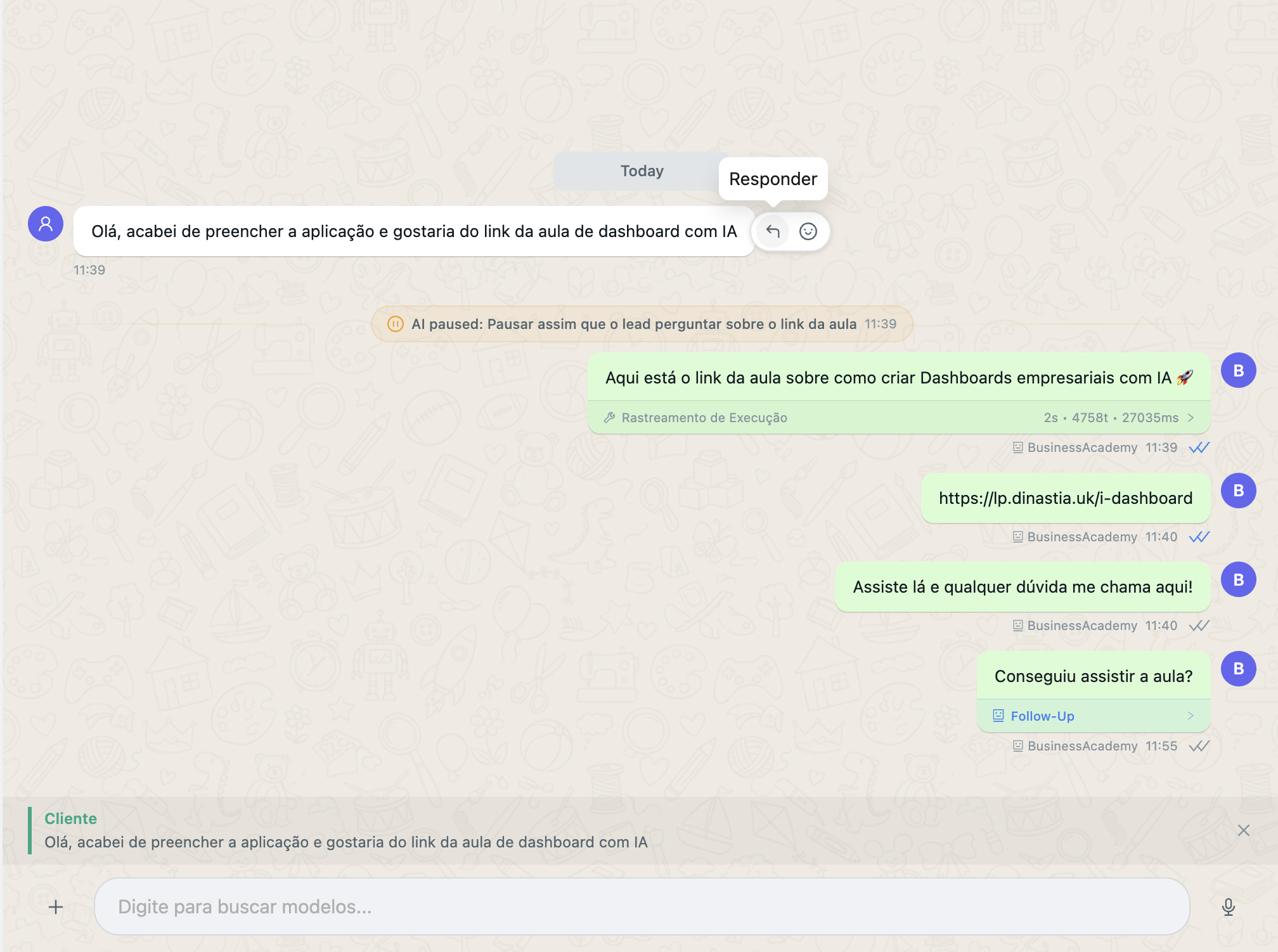
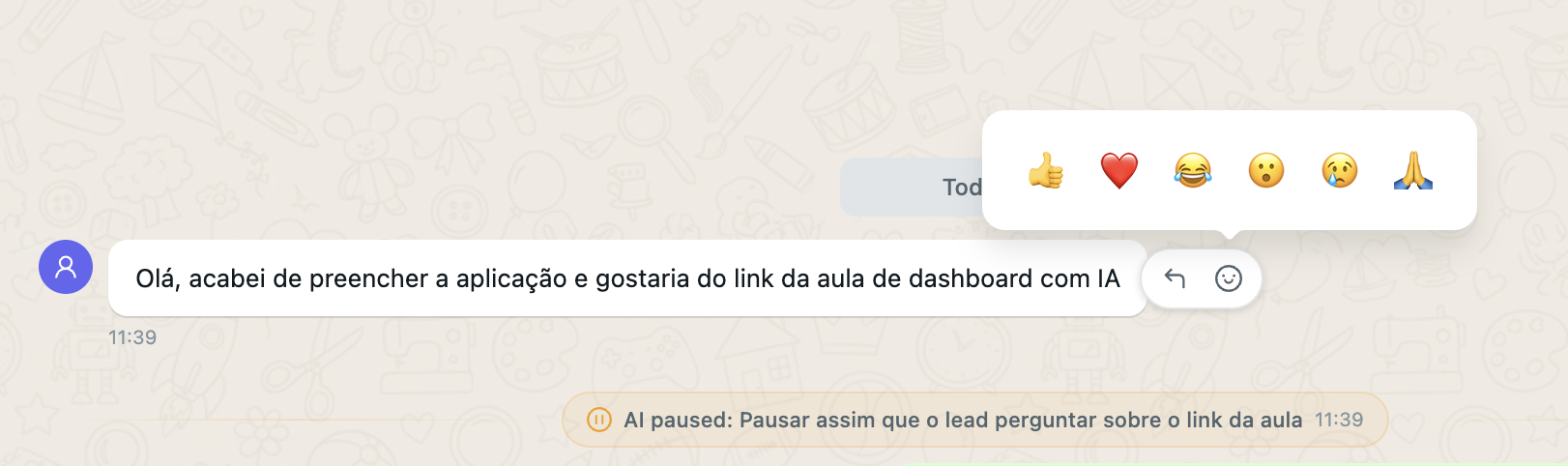
Message Reactions - React to messages with emojis
Inline Emoji Picker - Type
:to search and insert emojis inline while composing messages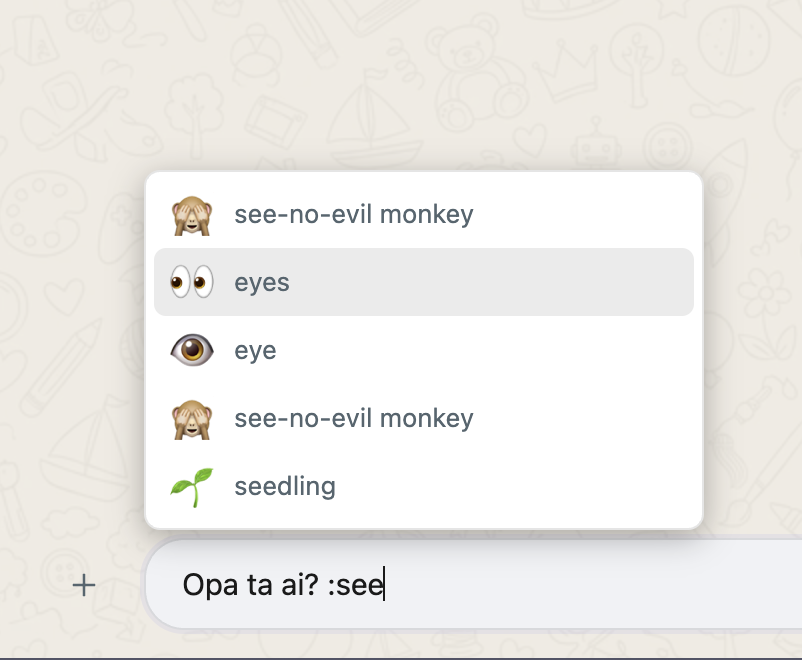
Session List Avatars - Color-coded letter avatars for quick visual identification of conversations
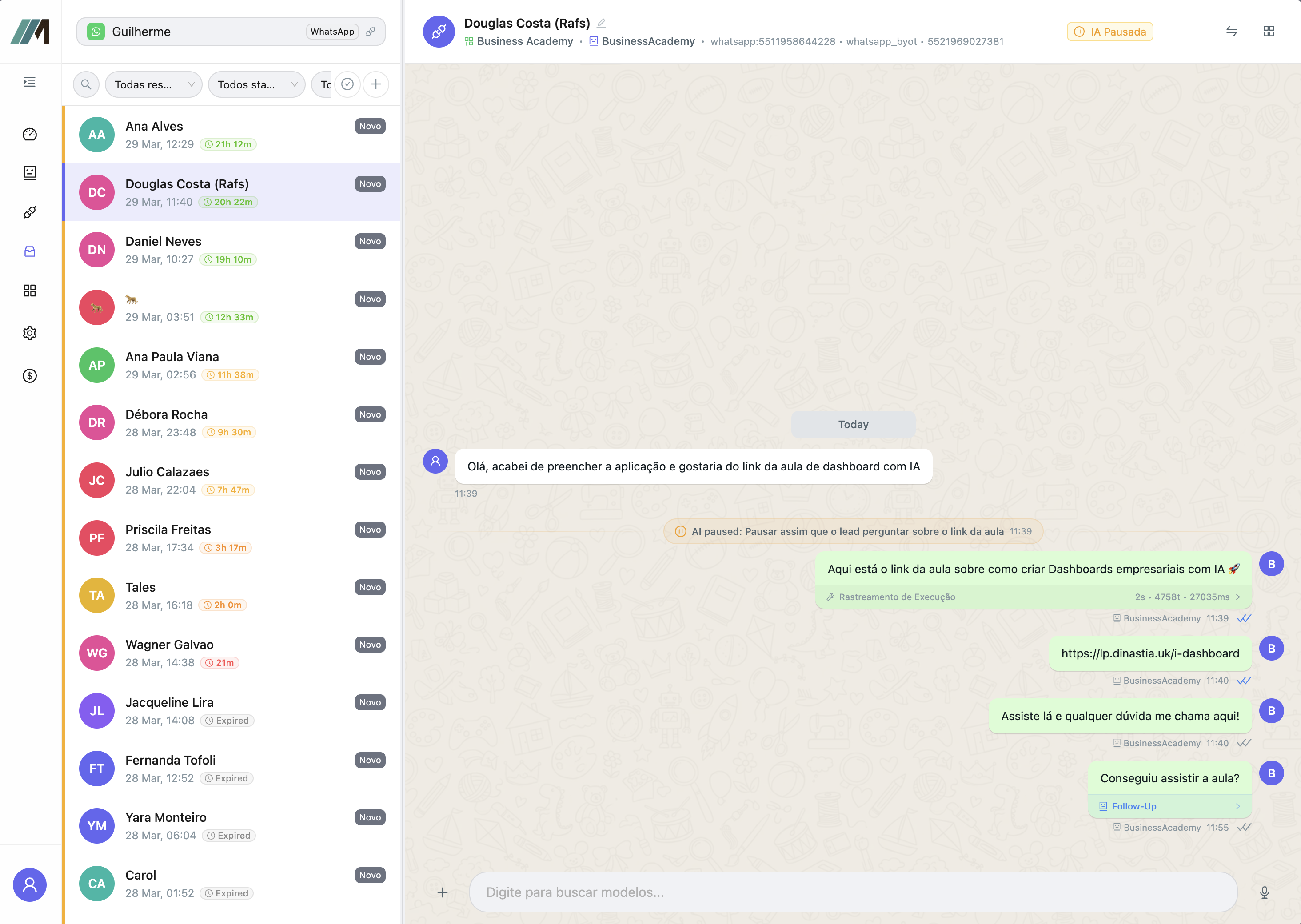
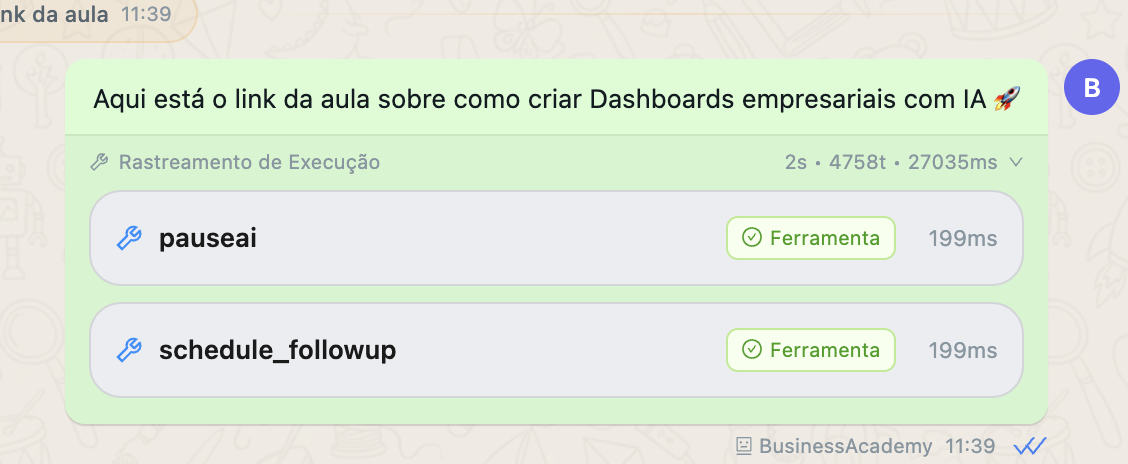
Inline Execution Trace - AI tool execution details are now embedded directly in the first response message
CRM Field Groups
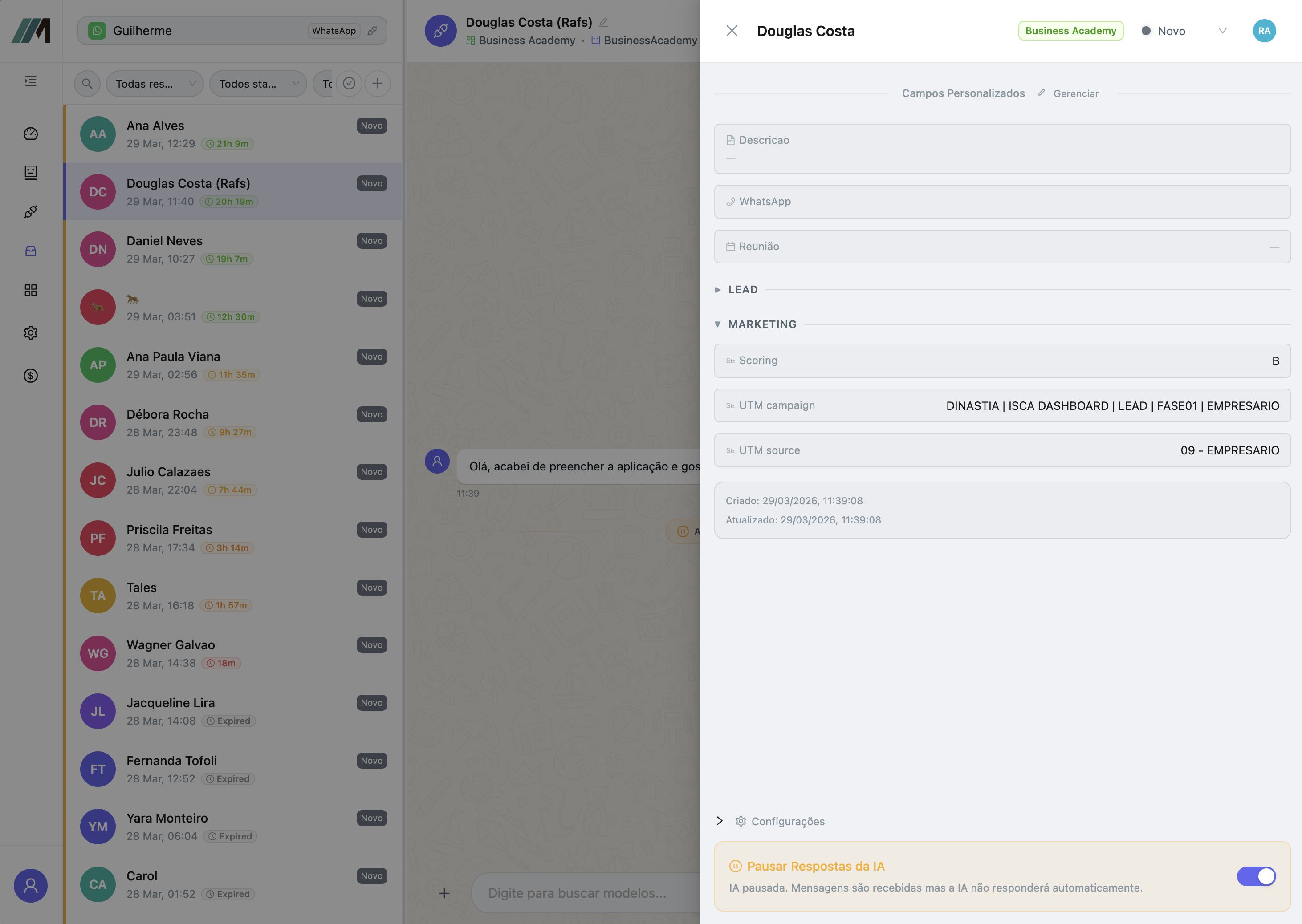
Collapsible Field Groups - Organize custom fields into named, collapsible groups for cleaner CRM drawer layout
- Create groups like "Personal", "Business", "Marketing" to categorize fields
- Drag-and-drop fields between groups
- Collapsed/expanded state persists in the browser
- Field type icons displayed next to each field name
v1.7.209 - 2026-03-24
New Features
Incoming Message Webhook Forwarding
- Forward Incoming Messages - New toggle in channel settings to receive customer messages via your webhook
- When enabled, incoming messages (text, audio, attachments) are sent to the same webhook URL configured for AI responses
- New
directionfield in payload:"incoming"for customer messages,"outgoing"for AI/human replies - New
externalUserIdfield with the customer identifier (e.g., phone number) for incoming messages - Fully backward-compatible — existing webhook consumers are unaffected
- See Webhook Payload Reference for details
v1.7.167 - 2026-02-25
New Features
CRM Custom Field Lookup
- Custom Field Search - New query parameters on
GET /crm/searchfor exact-match lookups by custom field valuecustomFieldId+customFieldValue- Find records where a specific custom field has an exact value- Useful for looking up records by phone number, email, external ID, or any indexed field
- Case-insensitive matching
- Bypasses full-text search for fast, precise lookups using the DynamoDB field value index
- See CRM Search API for details
v1.7.101 - 2026-01-15
New Features
Full-Text Search
- Enhanced CRM Search - Upgraded search capabilities powered by Typesense full-text search engine
- Substring Matching - Search for text anywhere within field values, not just at the beginning
- Typo Tolerance - Find records even with minor spelling mistakes (up to 2 typos)
- All Custom Fields Indexed - Search across title and all text-based custom fields (text, email, phone, url, select, multiselect)
- Search
doenow finds "John Doe - New Lead" (previously onlyjohnwould match) - Search
examplenow finds "john@example.com" - See CRM Search API for details
Bug Fixes
AI Agent
- Agent-to-Agent Call Message Leak - Fixed an issue where internal agent messages during agent-to-agent handoff calls were being exposed to end users. Agent handoff conversations are now properly isolated.
v1.7.100 - 2026-01-14
New Features
CRM Public API
API Token Authentication - Access CRM endpoints programmatically using API tokens
- Generate API tokens via Settings → API Tokens in the dashboard
- Supports both JWT (dashboard) and API token authentication
- See Authentication for token generation details
CRM Records API - Full CRUD operations for CRM records
GET /crm/records- List records with filtering and paginationGET /crm/records/{id}- Get a single record by IDPOST /crm/records- Create new recordsPUT /crm/records/{id}- Update existing recordsDELETE /crm/records/{id}- Delete records- See CRM API for full documentation
Search & Discovery - Search and explore your CRM data
GET /crm/search- Search records with prefix matchingGET /crm/search/aggregations- Get status counts per kanbanGET /crm/search/suggest- Get autocomplete suggestionsGET /crm/fields- Retrieve custom field definitionsGET /crm/statuses- Get status configurations
Kanbans API - Access kanban board configurations
GET /kanbans- List all kanban boards with statuses and fieldsGET /kanbans/{id}- Get a single kanban by ID or slug
Rate Limiting - Protect API availability with sliding window rate limiting
- Default: 120 requests/minute, 3,000 requests/hour
- Rate limit headers included in responses:
X-RateLimit-Limit,X-RateLimit-Remaining,X-RateLimit-Reset - Contact your administrator to adjust limits
v1.7.96 - 2026-01-12
Improvements
Audio Upload Support
- Opus Audio Format - Added support for
audio/opusMIME type in file uploads- Upload Opus audio files via the
/messages/uploadendpoint - Opus files are automatically transcribed using OpenAI Whisper
- Native WhatsApp compatibility (no conversion required)
- Upload Opus audio files via the
v1.7.91 - 2026-01-11
New Features
Light Theme Support
- Light/Dark Theme Toggle - New appearance settings to switch between dark and light themes
- Access via Settings → Appearance in the dashboard
- PWA users can toggle themes in Settings within the mobile app
- Light theme features WhatsApp-style chat interface with green sent message bubbles
- All UI components including Monaco code editors, charts, and dialogs adapt to the selected theme
- Theme preference is persisted across sessions
v1.7.90 - 2026-01-10
New Features
Webhook Center
- Outbound Webhooks - New webhook management system for receiving real-time notifications about CRM events
- Configure webhooks via Settings → Webhooks in the dashboard
- Supported event types:
crm_field_update- When a field value changes on a CRM recordcrm_record_created- When a new CRM record is createdcrm_record_deleted- When a CRM record is deletedai_pause- When AI is paused or resumed for a session
- Filter webhooks by specific kanbans or fields
- HMAC-SHA256 signature verification for security
- Automatic retries with exponential backoff
- Delivery logs to track webhook history
- See CRM Webhooks for payload details
Previous Versions
For changes prior to v1.7.90, please refer to the GitHub releases.